Professor Brower's Mod Tutor
Mod Tutor
Easily Create Mods & Learn While Doing!
Build American Truck Simulator and Euro Truck Simulator 2 paint job mods in minutes, and see exactly what's happening under the hood while you do it.
Free Community Edition · v1.0 Paint Jobs · Open source (GPL-2.0)

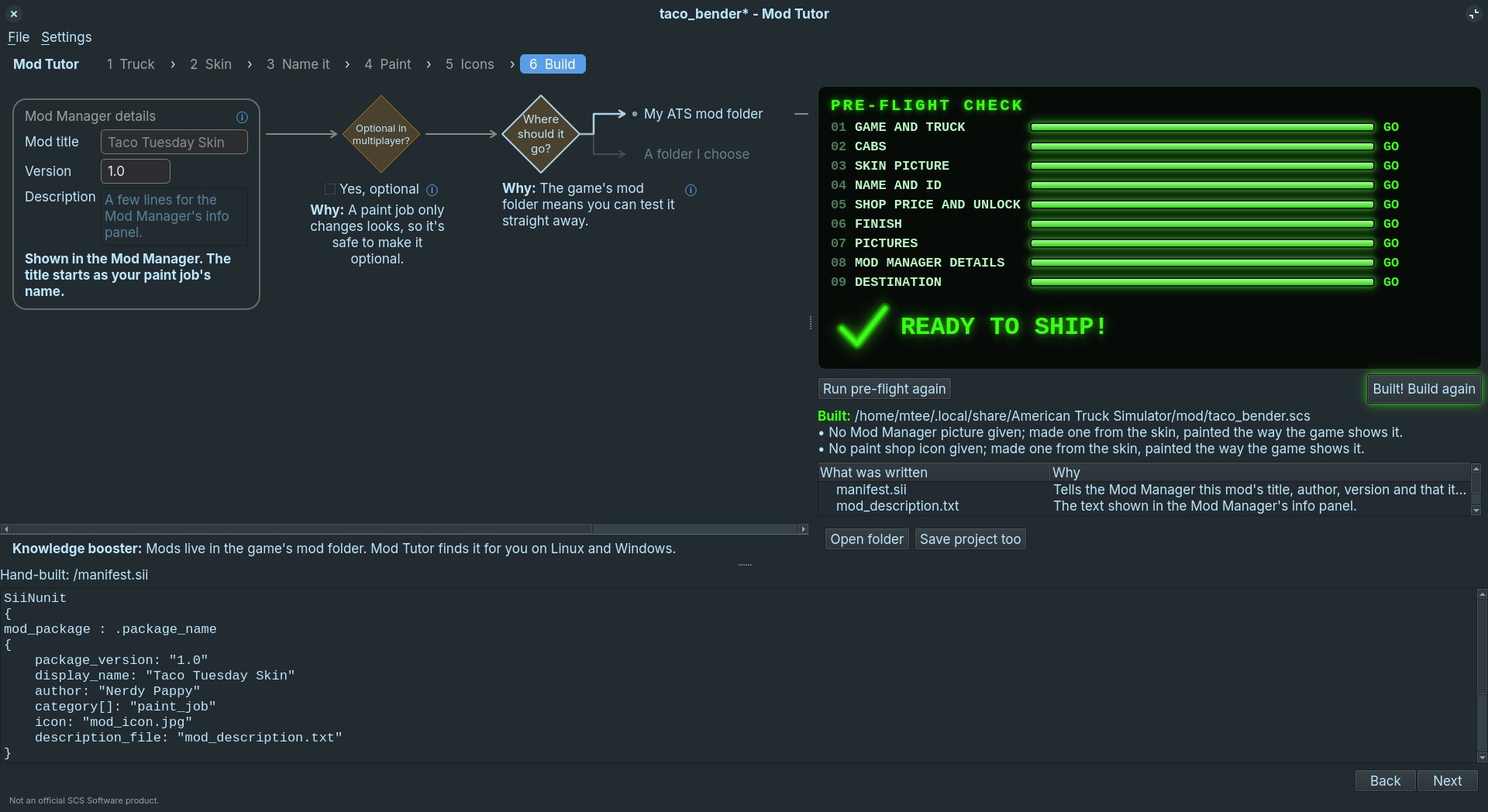
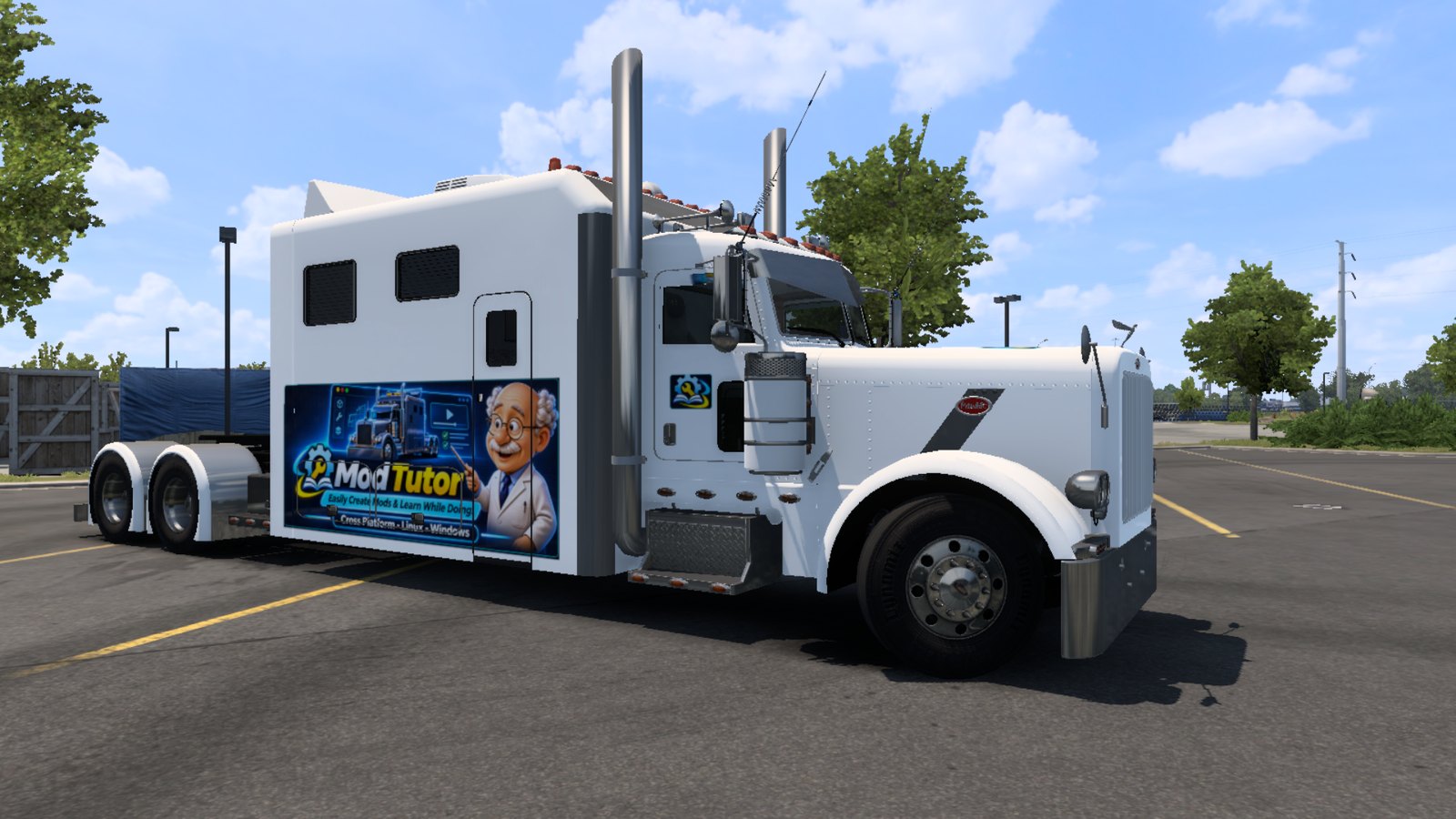

Now pay attention, this is the good part! One click on the left builds all of that on the right.
The Easy Way vs. Under the Hood
What you do
Click New paint job and follow the six steps. Mod Tutor writes every folder, definition and material file for you and drops the finished .scs straight into your mod folder. Your project file remembers every answer, so you can come back and change it later.
Download free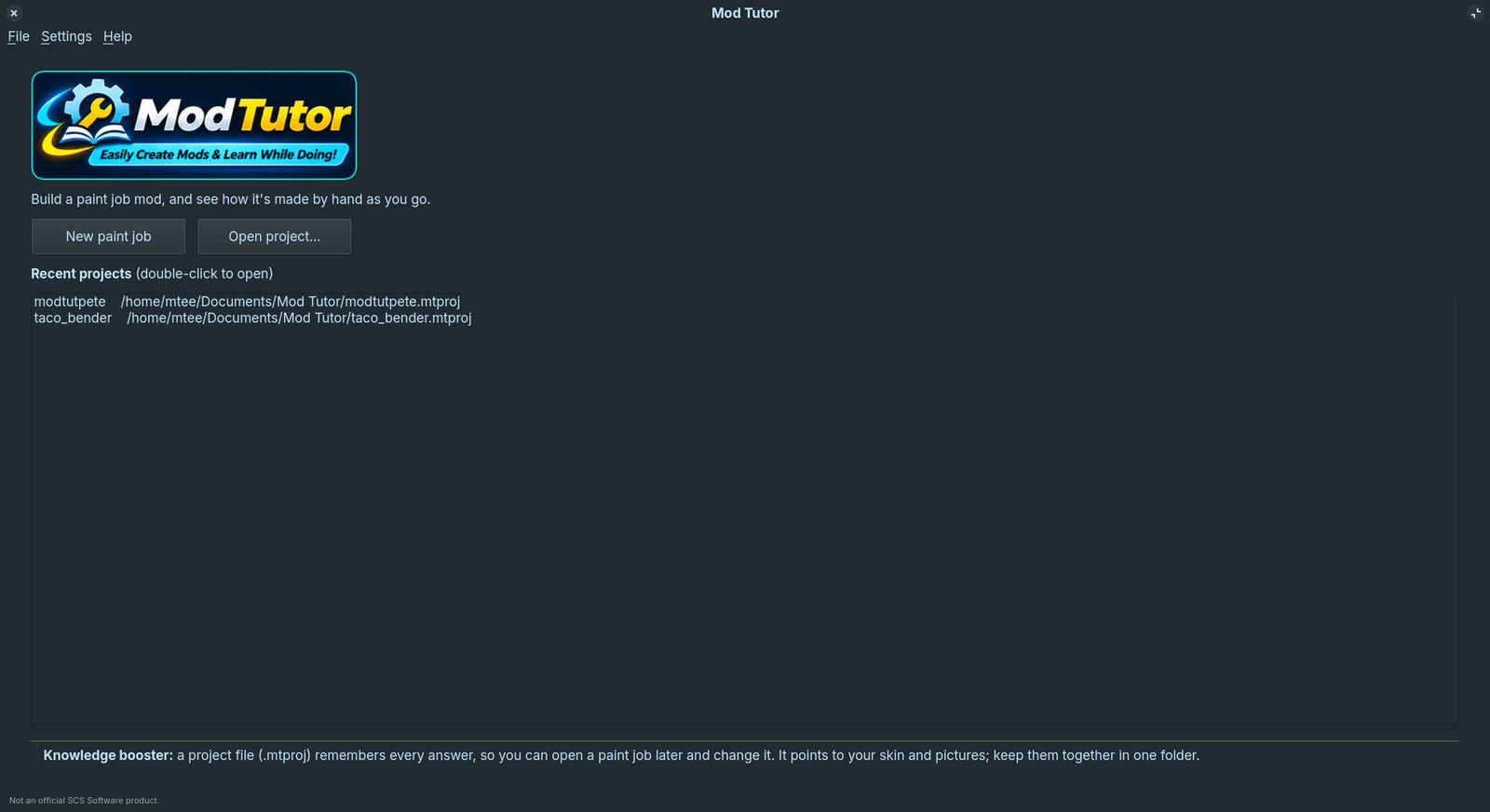
The hand-built file, live
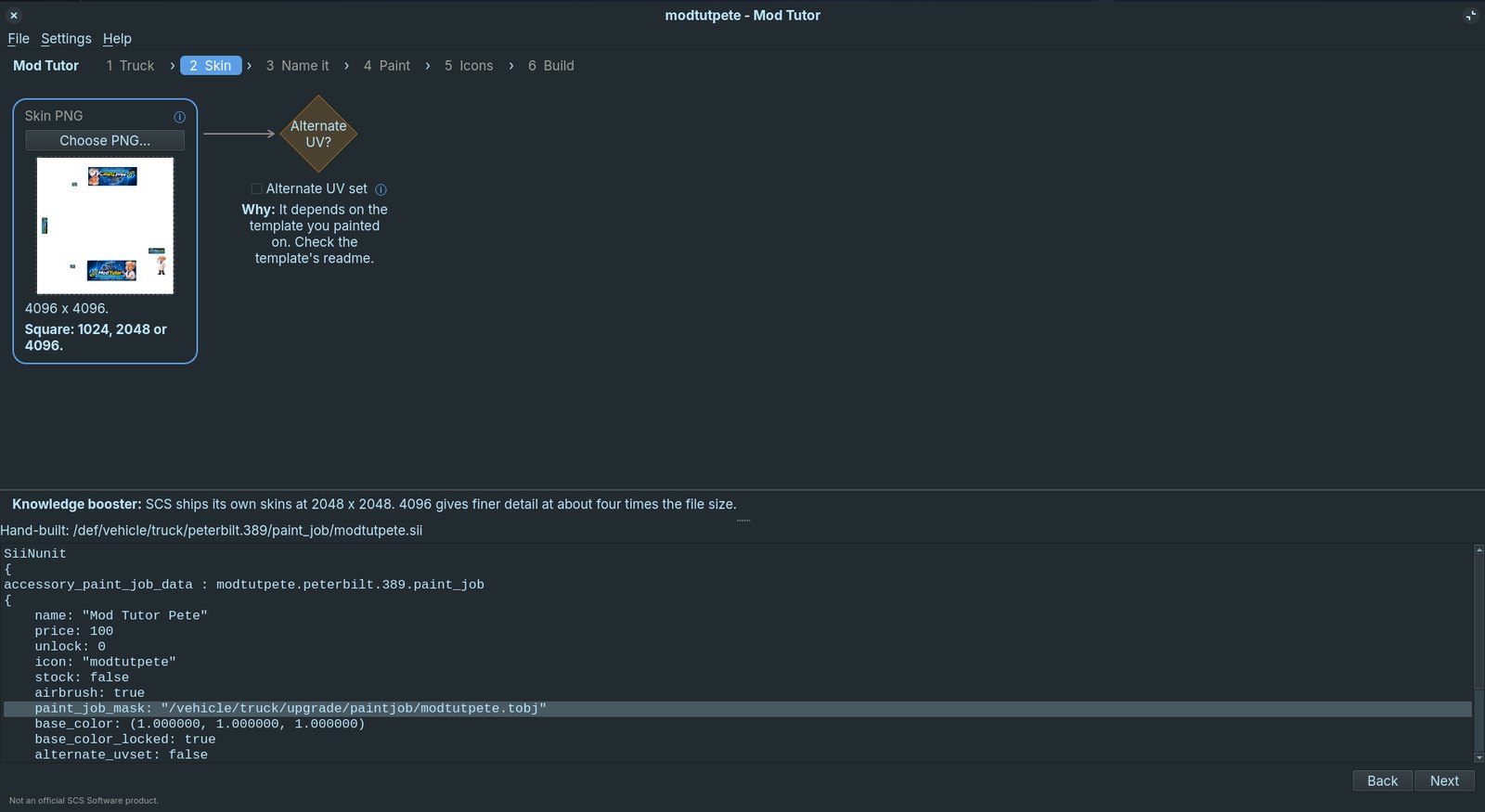
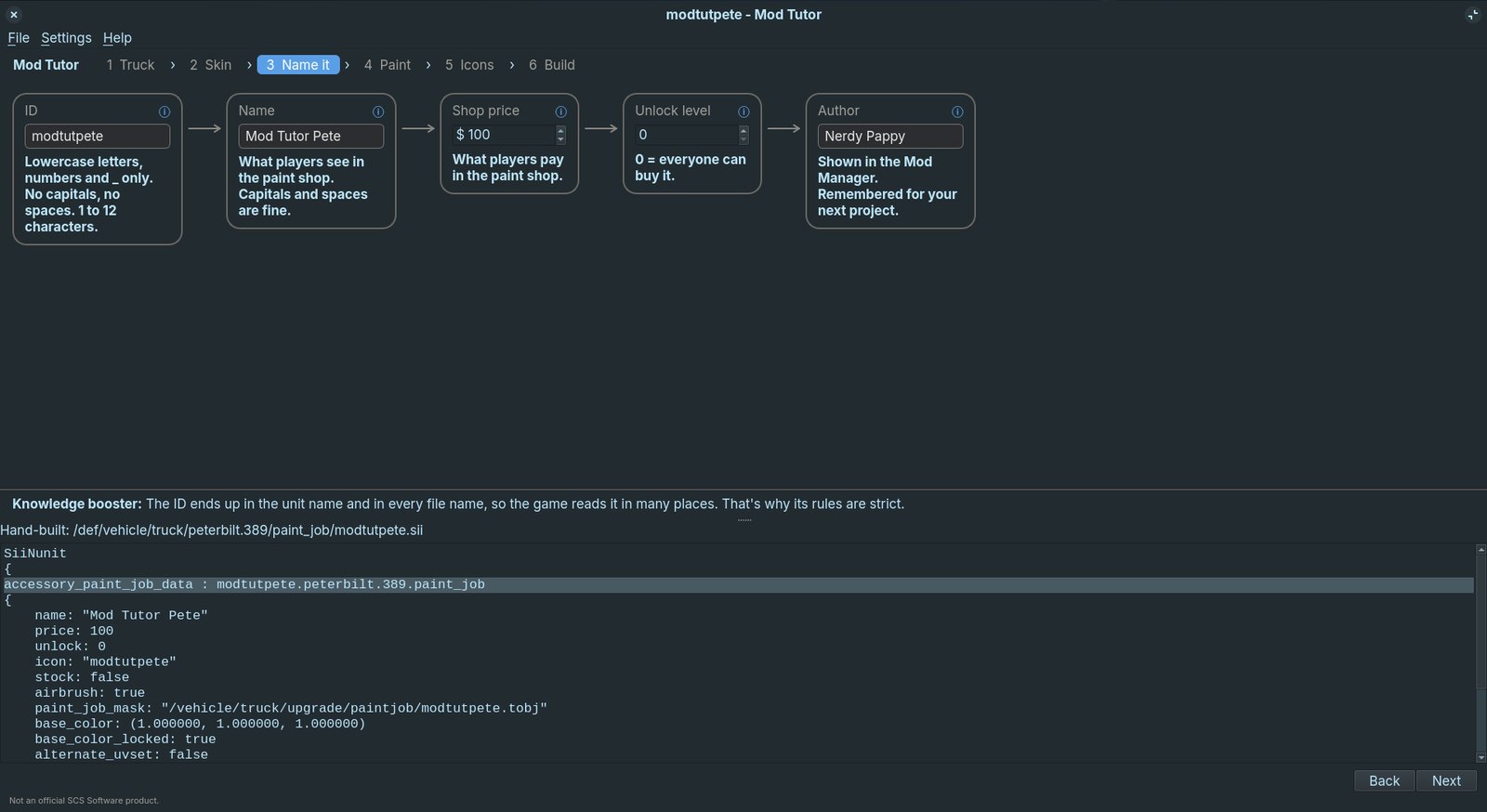
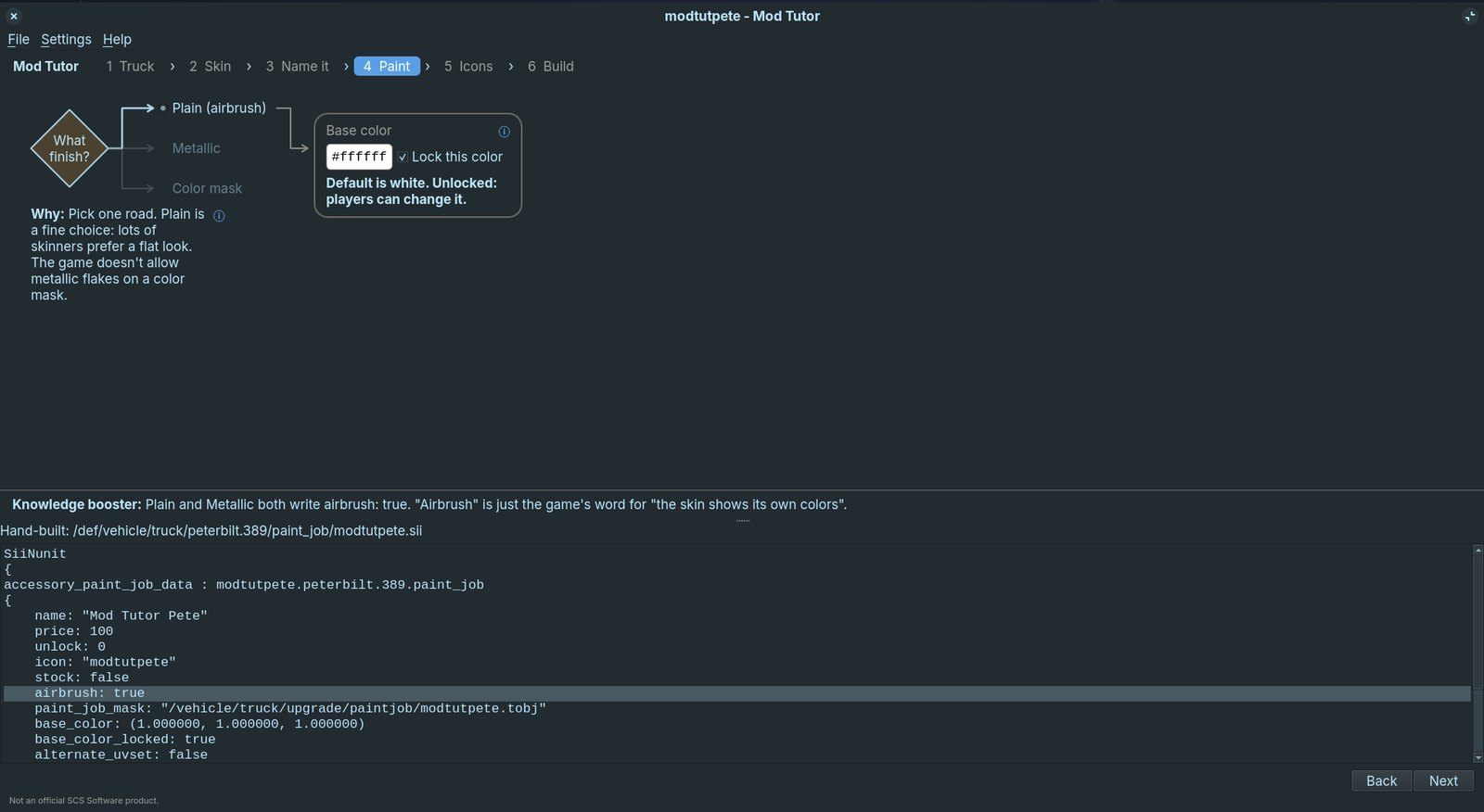
Hand-builders, this is your side. As you fill in each step, the Hand-built panel writes the real file underneath, line by line. Type your paint job's name and watch the name: line change.
Every step adds a Knowledge booster explaining what the file is for. No black boxes.
Hand-built: /def/vehicle/truck/peterbilt.389/paint_job/modtutpete.sii
SiiNunit
{
accessory_paint_job_data : modtutpete.peterbilt.389.paint_job
{
    name: "Mod Tutor Pete"
    price: 100
    unlock: 0
    icon: "modtutpete"
    stock: false
    airbrush: true
    paint_job_mask: "/vehicle/truck/upgrade/paintjob/modtutpete.tobj"
    base_color: (1.000000, 1.000000, 1.000000)
    base_color_locked: true
    alternate_uvset: false
    ...
Six steps to your first mod. Every one teaches.
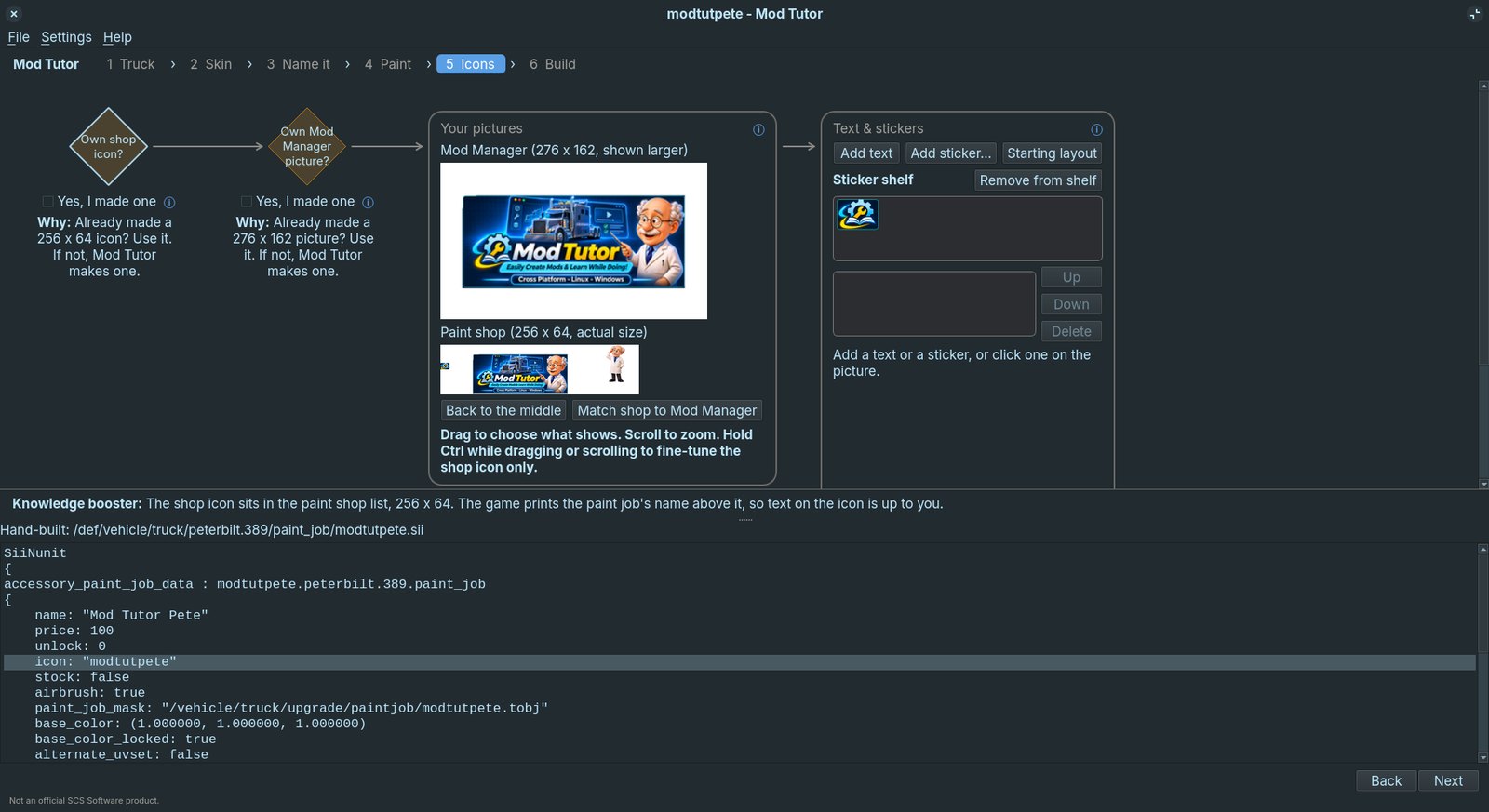
Screenshots: Linux · dark themeEvery screen has two halves. The top is what you do. The bottom is the real file it writes, updated line by line as you click, with a Knowledge booster explaining why. You build a mod and learn how it's made, at the same time.
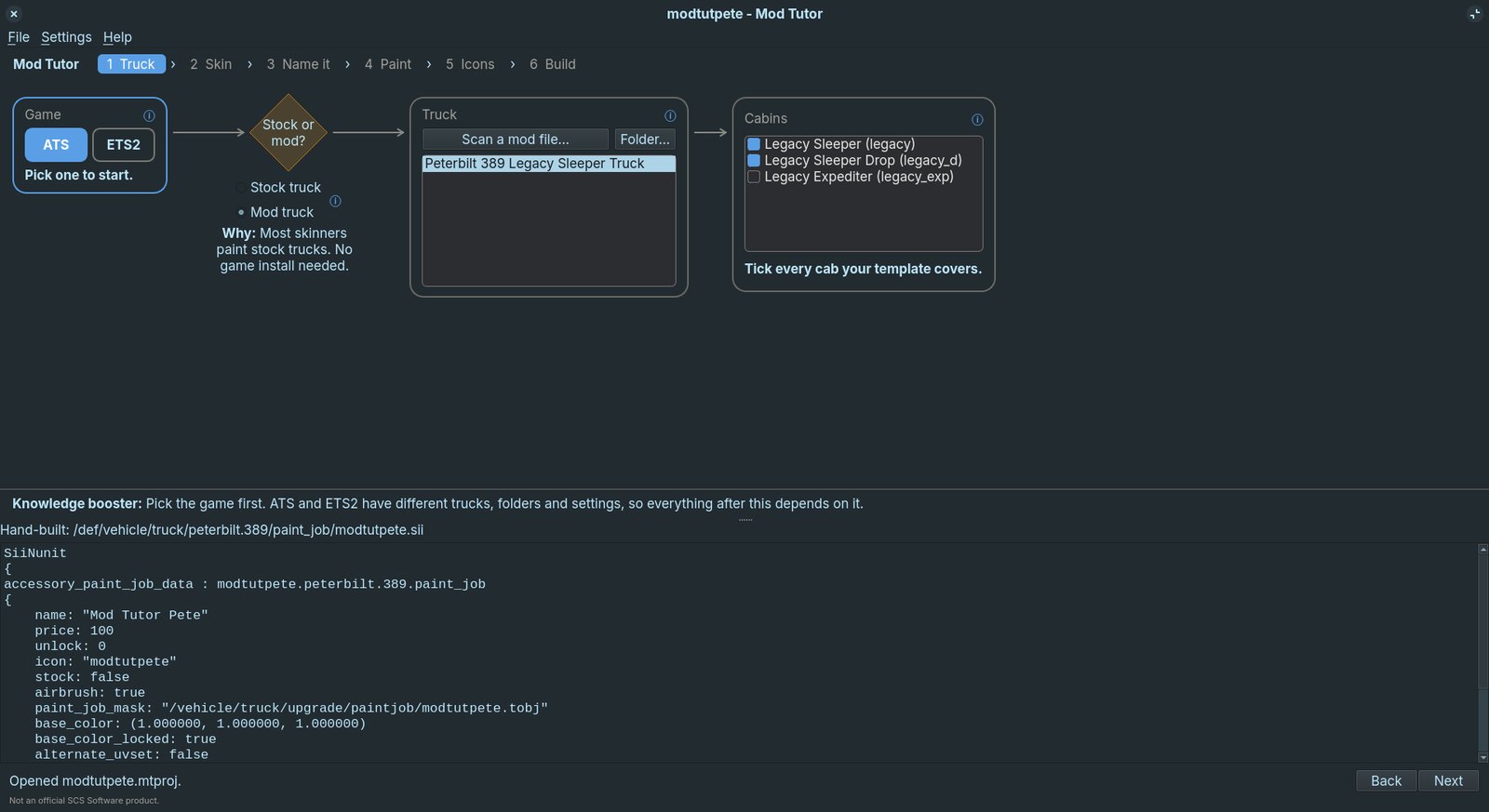
Pre-flight check
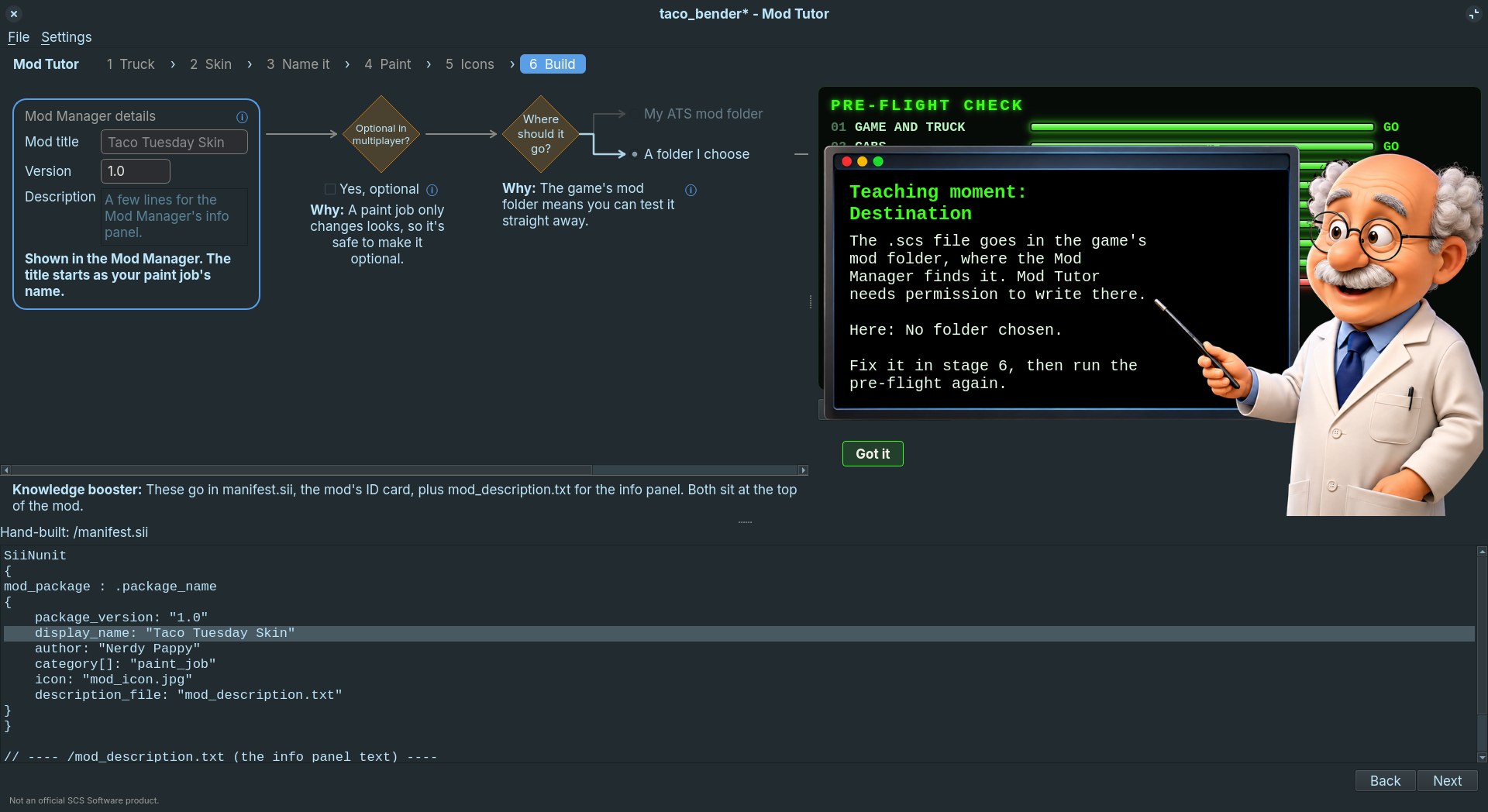
Something's wrong? The Professor slides in.
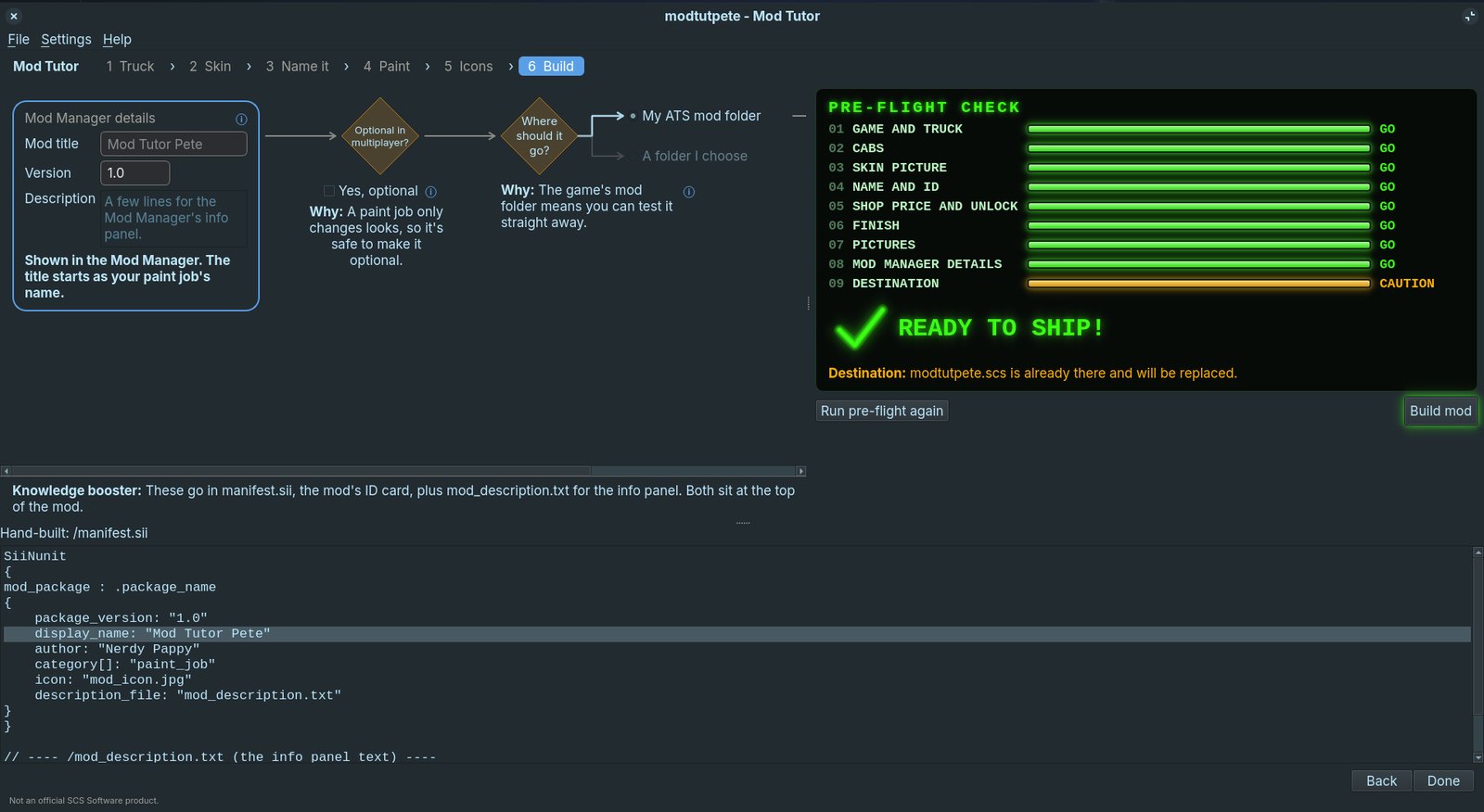
Before every build, Mod Tutor runs nine pre-flight checks, one by one, on its dashboard. If one fails, the Professor shows up with a Teaching Moment: what went wrong, why it matters, and which step fixes it.
Fix it, run the pre-flight again, and you're READY TO SHIP!
Three signals, no surprises
Works right out of the box
- Stock ATS and ETS2 trucks built in, with no game install needed
- No mod load order headaches
- Mod trucks work too: Mod Tutor reads them without unpacking anything, locked mods included as far as they openly allow, and remembers them after one scan
- Your profiles and scanned mods survive every update
- A built-in picture editor for your shop icon and Mod Manager picture, so you don't need another program
- Runs on Linux and Windows
- Your theme, your call: follows your system automatically, or set it to Light or Dark in Settings
No fiddling. Just paint!

See it in action
Free & open source
Mod Tutor is GPL-2.0. Read the code, report a bug, send a fix. Nothing hidden.
github.com/mteedev/mod-tutor →Wiki & Help Center
Step-by-step guides, the full mod file reference, and answers to the questions everybody asks.
docs.modtutor.net →
Hmm… what should we build next? You tell me!
What's next? You vote.
Out now · v1.0
Paint Jobs
On the ballot
Trailers
On the ballot
Mudflaps
On the ballot
Maps
Patrons get every release early, a vote on what comes next, and the inside scoop. Then it goes public for everyone.
Join on Patreon